Microsoft Copilot Cowork is GA: what it costs, and how to stay in control
Copilot Cowork is now generally available, and it is billed in a way that catches people out: a fixed seat plus a metered usage charge that can dwarf it. Here is how the pricing works, what it can cost, and every lever to cap the spend.

Regular Copilot Chat is a fast, reactive assistant: you ask, it answers. Cowork is different. You delegate a whole multi-step task and it sees it through, in the cloud, without you babysitting it - drafting and sending email, scheduling meetings, building Word, Excel and PowerPoint files, posting in Teams, researching across your organisation and the web, and managing files in OneDrive and SharePoint.
Every step is visible in the conversation, it operates within the signed-in user's existing permissions, and sensitive actions need explicit approval before they run. It runs on Anthropic's Opus 4.8 and Sonnet 4.6 models at GA, and it is extensible through plugins from the Microsoft 365 App Store. It was the fastest-growing feature in the history of Microsoft's Frontier early-access program.
How Cowork is billed
This is the part that catches people out. Cowork does not run on a flat subscription. It has two parts.
Part 1: the Microsoft 365 Copilot seat (fixed)
Users need a Microsoft 365 Copilot licence to access Cowork at all. That seat is the predictable, per-user cost you may already pay - around $30 USD per user per month for the enterprise add-on (Microsoft 365 Copilot Business for SMBs is published in AUD, currently about AU$26.91 per user per month on an annual commitment). It also powers Copilot Chat, Copilot in the Office apps, and pre-built agents like Researcher and Analyst.
Part 2: Copilot Credits (metered, the new part)
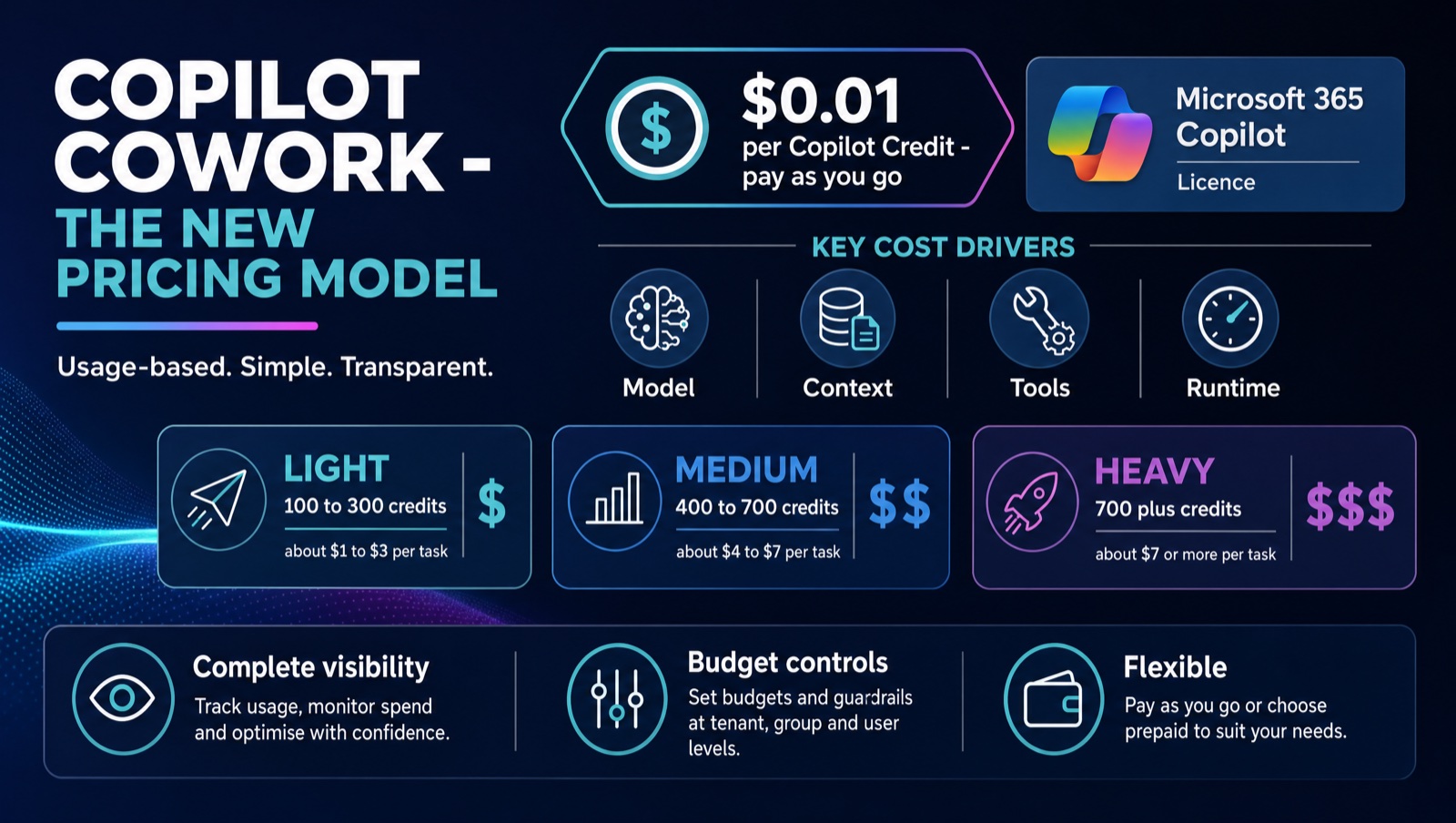
Every Cowork task draws from a usage-based pool of Copilot Credits. This is consumption on top of the licence, not a per-seat add-on and not bundled. Pay-as-you-go is $0.01 USD per credit. Prepaid options (a P3 pre-purchase plan, or capacity packs at roughly $0.008 per credit effective) discount steady, predictable volume, and any overage rolls back to pay-as-you-go automatically.
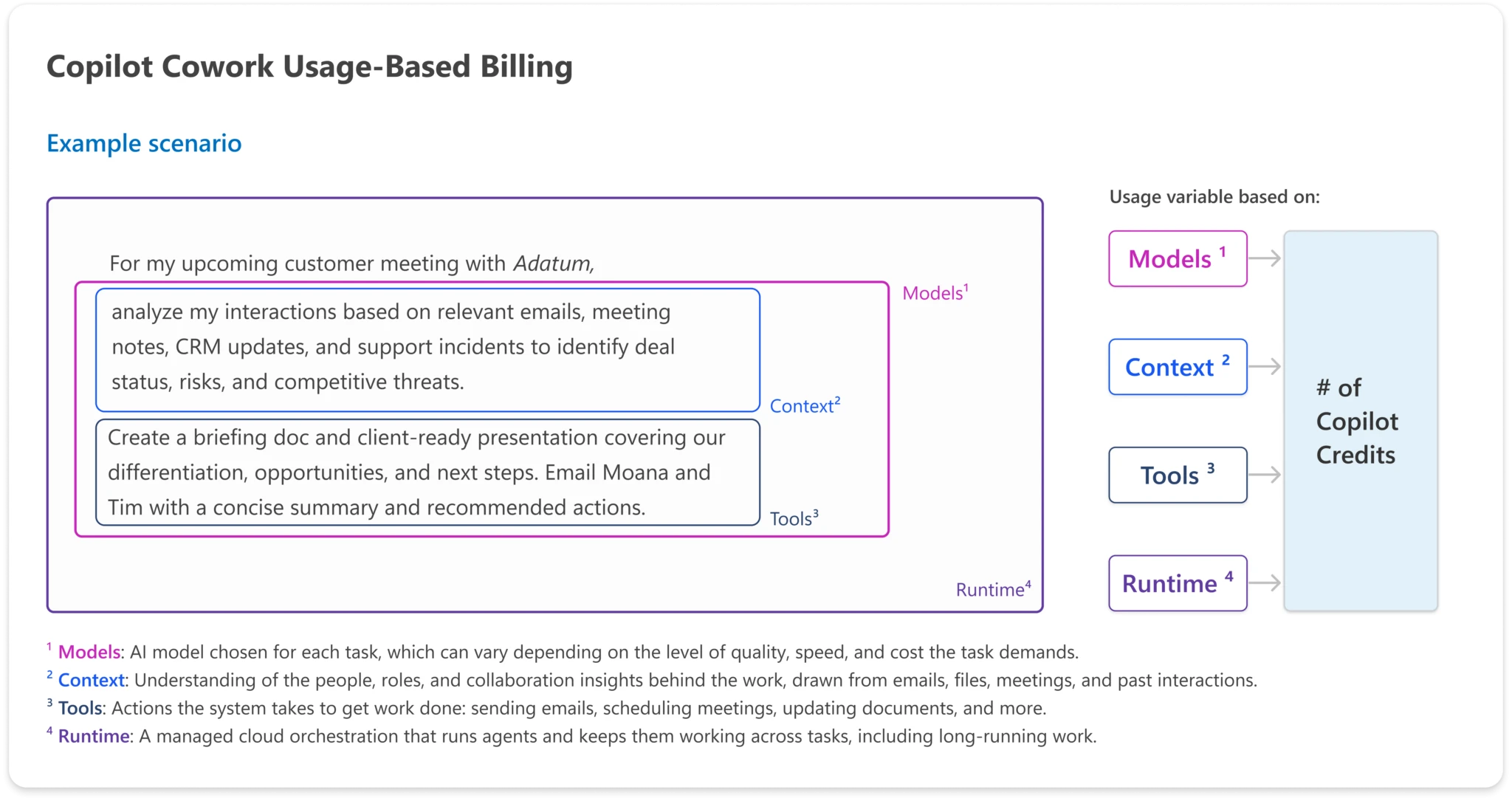
Microsoft prices each task from four inputs: which model does the work, how much context is retrieved, how many tools the task calls, and how long it runs. Premium models, broad retrieval, lots of tool calls and long unattended runs all push the cost up.
In practice, tasks fall into three rough tiers. Light tasks (a quick brief or reply) run about 100 to 300 credits. Medium tasks (a cited research memo) about 400 to 700. Heavy tasks (a workbook plus a slide deck, or a long multi-tool run) start around 700 and climb from there. Real usage tends to drift toward heavier tasks over time, so plan for that.
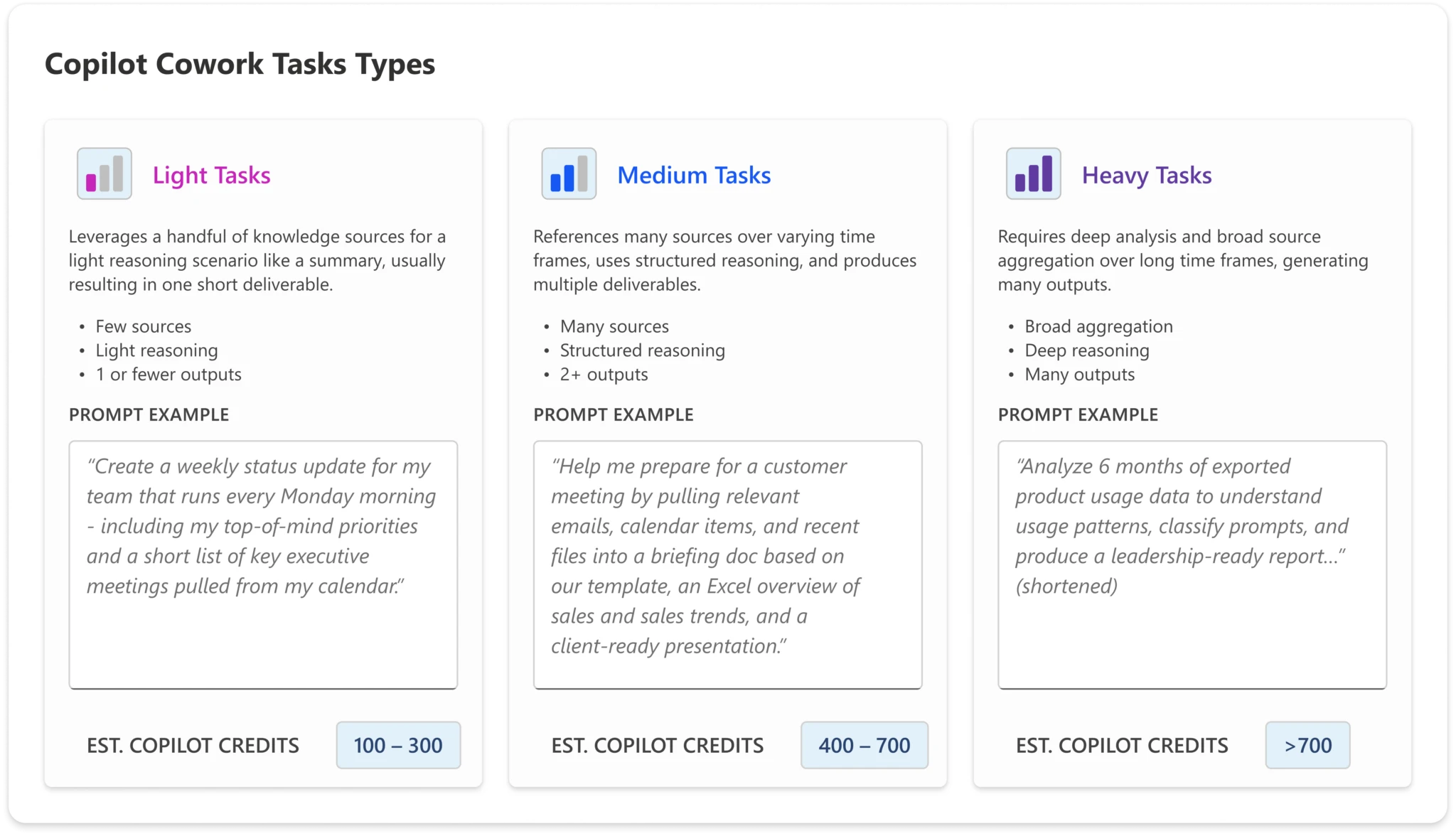
The Frontier billing deadline is 1 July 2026
Many organisations have been trialling Cowork through Microsoft's Frontier early-access program. Frontier usage between 30 March and 16 June 2026 is free, but billing for those tenants begins on 1 July 2026. If a billing method is not set up by then, Cowork stops working for those users. Setting up billing and spending caps before that date is mandatory, not optional, for anyone who trialled it.
How to keep spend under control
There are two budgeting surfaces in Microsoft 365, and they behave very differently. Use the first one for Cowork. Cost Management spending policies (in the Microsoft 365 admin center under Copilot then Cost Management) have real caps: a limited monthly budget is a hard stop, and when users hit it they lose access to the service until credits reset on the 1st. The legacy pay-as-you-go budget (under Billing) is alert-only - reaching 100% does not stop billing; the only way to stop it there is to disconnect the service.
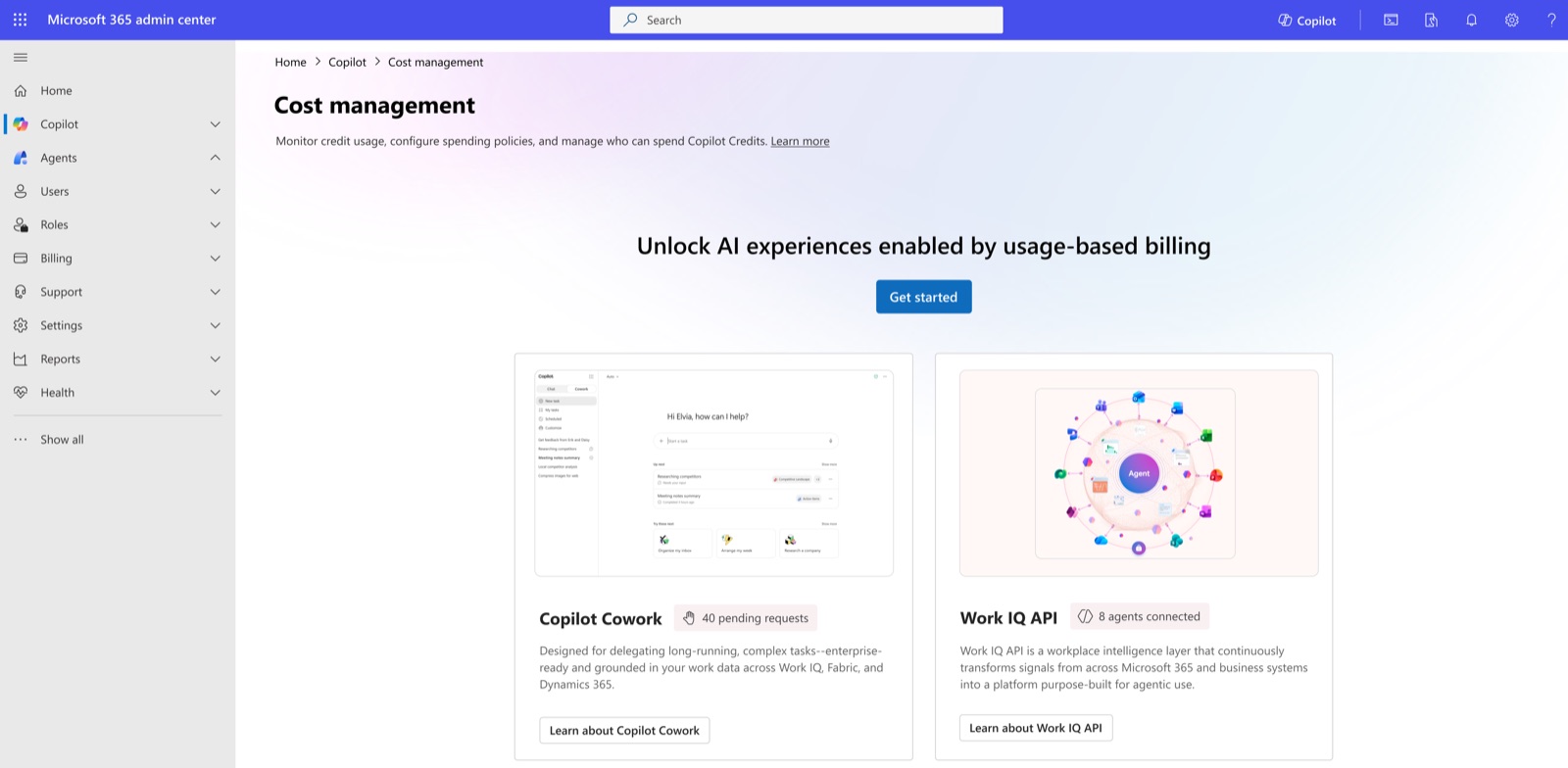
Inside Cost Management you have every lever you need:
- An org-wide monthly credit limit, and a per-user limit so no single person drains the pool.
- Group-scoped policies for pilot groups or departments, each with its own limited budget and optional per-user ceilings (with alerts at 70% of a user's limit).
- Service scoping, so a policy can only spend on the services you choose.
- Billing-method override per policy, for departmental or chargeback billing.
- Prepaid-only billing (capacity packs or P3 with no pay-as-you-go meter), where spend simply stops when the prepaid pool empties.
- Credit-request gating, so users start with no access and must be granted in.
One heavy Cowork run is fine. The cost creeps in when “go do this for me” becomes the default way to make a deck that regular Copilot already includes in the fixed seat. If the job is “research it, summarise it, turn it into a doc and let me edit”, that is already covered by Researcher, Analyst and the Office agents. Save Cowork for work that genuinely needs unattended runtime and multi-tool follow-through.
What to do next
- Confirm which of your tenants used Cowork in Frontier - billing for them starts 1 July 2026.
- Set up a billing method and stand up a default spending policy with a monthly cap, a per-user limit and alert recipients before you roll out.
- Treat the first 30 days as a FinOps experiment, not a deployment: pilot, watch the consumption dashboards weekly, then scale.
- Decide pay-as-you-go versus prepaid once you have real usage data, and review the shared-credit-pool position so other agents do not quietly consume the budget.